
Lives outside the browser
A real desktop window with a tray icon and background playback — no tab to lose, and closing the browser does not stop the music.
An unofficial desktop client for YouTube Music, for Windows and macOS. Native media keys, tray controls, synced lyrics, Discord and Last.fm integration, and 43 one-click plugins.
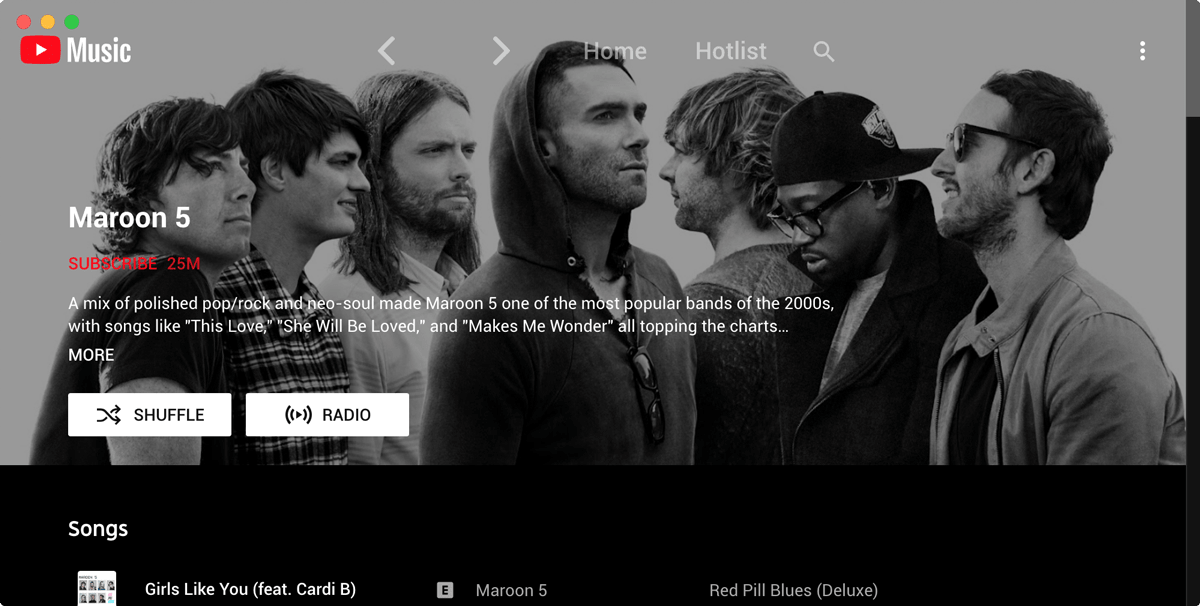
A real desktop window with a tray icon and background playback — no tab to lose, and closing the browser does not stop the music.
Equalizer, crossfade, ambient lighting, picture-in-picture, playback speed — each one a single toggle in the menu, no config files.
Time-aligned lyrics that follow the song, with a Genius fallback for tracks YouTube Music has nothing for.
Play, pause and skip from anywhere — even minimised. MPRIS on Linux, taskbar controls on Windows, Touch Bar on Mac.
Discord Rich Presence, Last.fm and ListenBrainz scrobbling, OBS overlays, smart lighting and a local control API.
Nothing to sign up for. Anonymous usage reporting exists but stays off unless you turn it on, and it never records what you play.
Windows 10, Windows 11
macOS 11 Big Sur or later
Everything beyond stock YouTube Music is a plugin, and every plugin is one toggle away. 43 ship with the app.
Provides synced lyrics to songs, using providers like LRClib
Adds lyrics support for most songs
Show your friends what you listen to with Rich Presence
Automatically skips non-music parts like intro/outro or parts of music videos where the song isn’t playing
Adds an equalizer to the player
Adds a visualizer to the player
Share a playlist with others. When the host plays a song, everyone else will hear the same song
Add scrobbling support (e.g. Last.fm, ListenBrainz)
Allows to switch the app to picture-in-picture mode
Applies a lighting effect by casting gentle colors from the video, into your screen’s background
Crossfade between songs
Global hotkeys for playback, media key handling, Ctrl/CMD + F search, Linux MPRIS support and custom hotkeys
Adds a button to switch between Video/Song mode; can also remove the video tab entirely
Add time-synced, karaoke-style lyrics to YouTube Music on the desktop, plus a fallback for songs the service has no lyrics for at all.
Set up Discord Rich Presence for YouTube Music on the desktop so your status shows the track, artist, album art and a live progress bar.
Control YouTube Music from anywhere with global hotkeys, media keys and MPRIS on Linux — a full shortcut reference for the desktop app.
Turn plugins on, change their settings, fix conflicts and pick a starter set — a practical guide to the plugin system in Ytmdesktop.
A concrete comparison of YouTube Music in a browser tab versus the desktop app: ads, media keys, downloads, resource use, lyrics and offline behaviour.
No. Google publishes YouTube Music as a web app and as mobile apps only. Ytmdesktop is an unofficial desktop client that wraps the same web interface and adds desktop features around it — native media keys, tray controls, synced lyrics, Discord and Last.fm integration, and a plugin system.
Yes. There is no paid tier and no account. Anonymous usage reporting is available but switched off unless you turn it on, and you are asked once rather than opted in quietly.
Download only from this site. The macOS build is signed with a Developer ID certificate and notarised by Apple, so it opens without warnings. The Windows build is not yet signed, so SmartScreen shows an unknown-publisher notice — choose More info, then Run anyway.
No. The app works with a free account or anonymously. Premium still buys you official offline downloads, background play on mobile and higher-quality streams — the app does not replace those.
Windows 10 and 11 (x64, ia32, arm64), and macOS on Apple Silicon and Intel.
Yes, once the Shortcuts plugin is enabled. It registers global hotkeys with the operating system, so play/pause, next and previous work while the app is minimised.
Over forty at the time of writing, covering lyrics, audio processing, appearance and theming, video handling, system media controls, and integrations with Discord, Last.fm, ListenBrainz, OBS and Lumia Stream. Every one is a single toggle in the Plugins menu.
Not unless you agree to it. The app asks once whether you want to share anonymous usage data — which plugins you switch on, your platform and version, and whether it crashed. It never records what you listen to, search for or play; there is no field for any of that. It is off until you say yes, you can change it any time in Options, and everything sent is written to a log on your machine you can read.